
ARC Raiders Arcane
Cheats Solutions
View details about this product and browse all the available options.
-
10,000+Products Sold
-
4.9/5 from 500+ reviews
ARC Raiders Arcane
Undetected
INSANT DELIVERY
Requirements
- Supported CPU: Intel & AMD
- Support Windows Versions: 10 - 11
- Supported Game Version: Steam Only
Aimbot
- Enable – Toggle the aimbot on or off.
- Always – Keeps the aimbot active without needing to hold a key.
- Visibility Check – Aims only at enemies that are visible (not behind walls).
- Draw FOV Border – Displays the radius circle of the aimbot.
- Draw FOV Background – Fills the FOV circle with a colored background.
- First & Second Keybind – Assign up to two specific keys to trigger the aimbot.
- Targets – Filter targeting for Players, Bots, Teammates, or Knocked enemies.
- Find Bone Type – Choose between Selected Bone, Nearest Bone (closest to crosshair), or Random Bone.
- Bone Selection – Specific target points: Head, Neck, Chest, Pelvis, etc.
- FOV Size – Adjust the size of the aimbot's effective area.
- Smoothness – Adjusts how fast or slow the aim moves to the target (for a more natural look).
- Max Distance – Sets the maximum range at which the aimbot will function.
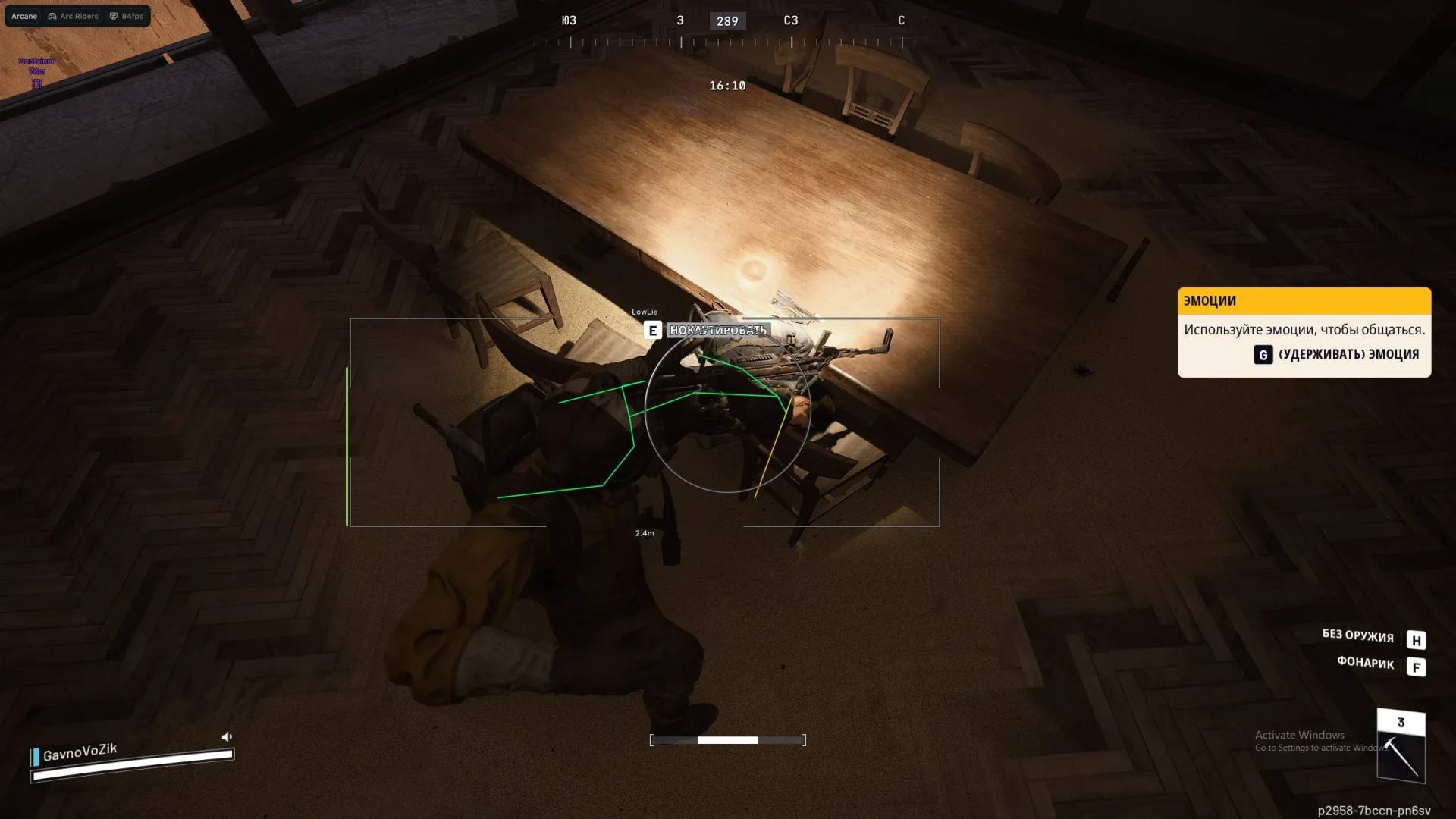
Player ESP
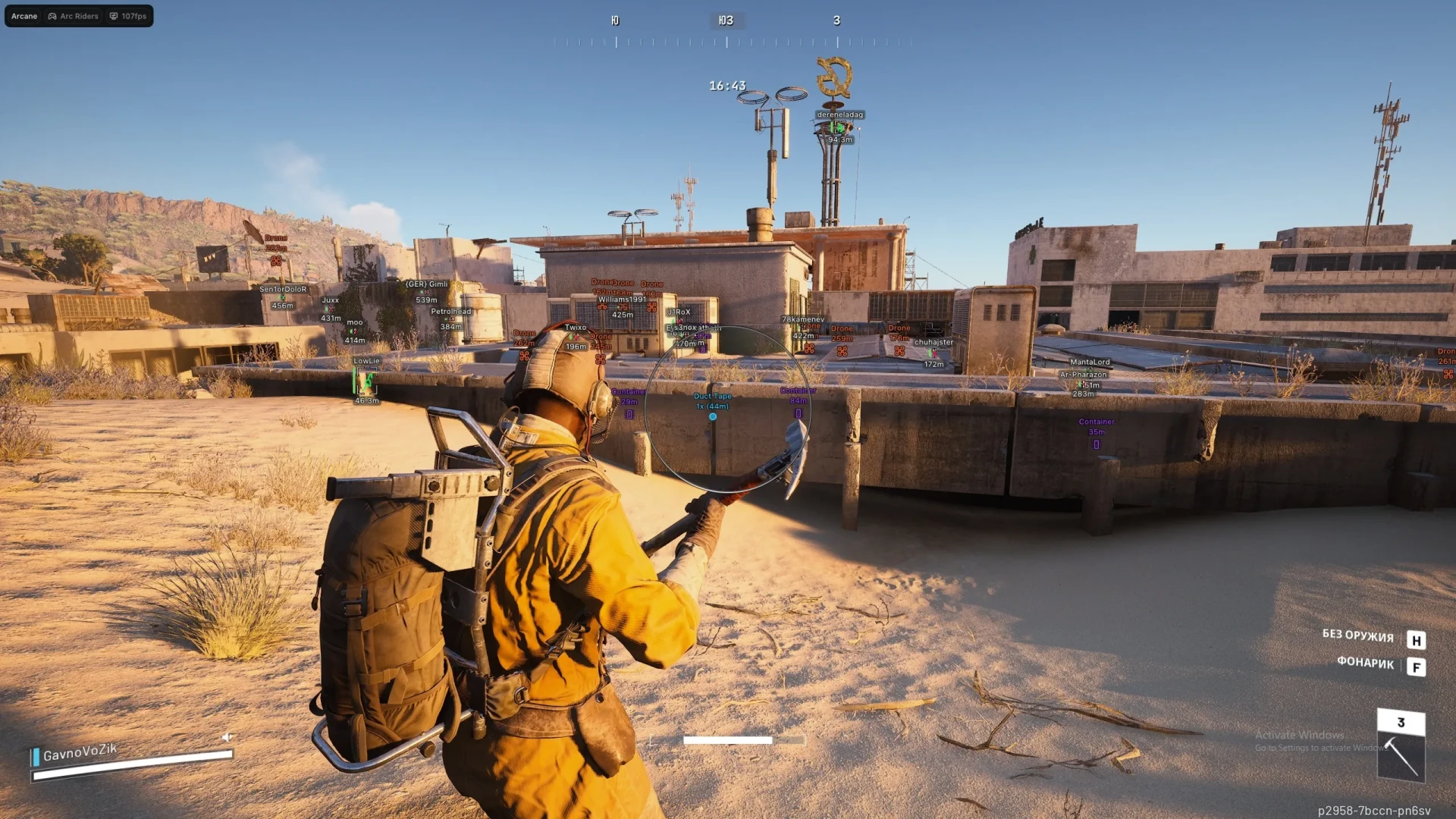
- Bounding Box – Draw a 2D box around enemies (Full Box or Corners).
- Fill Box – Adds a background color to the player box (Static or Gradient).
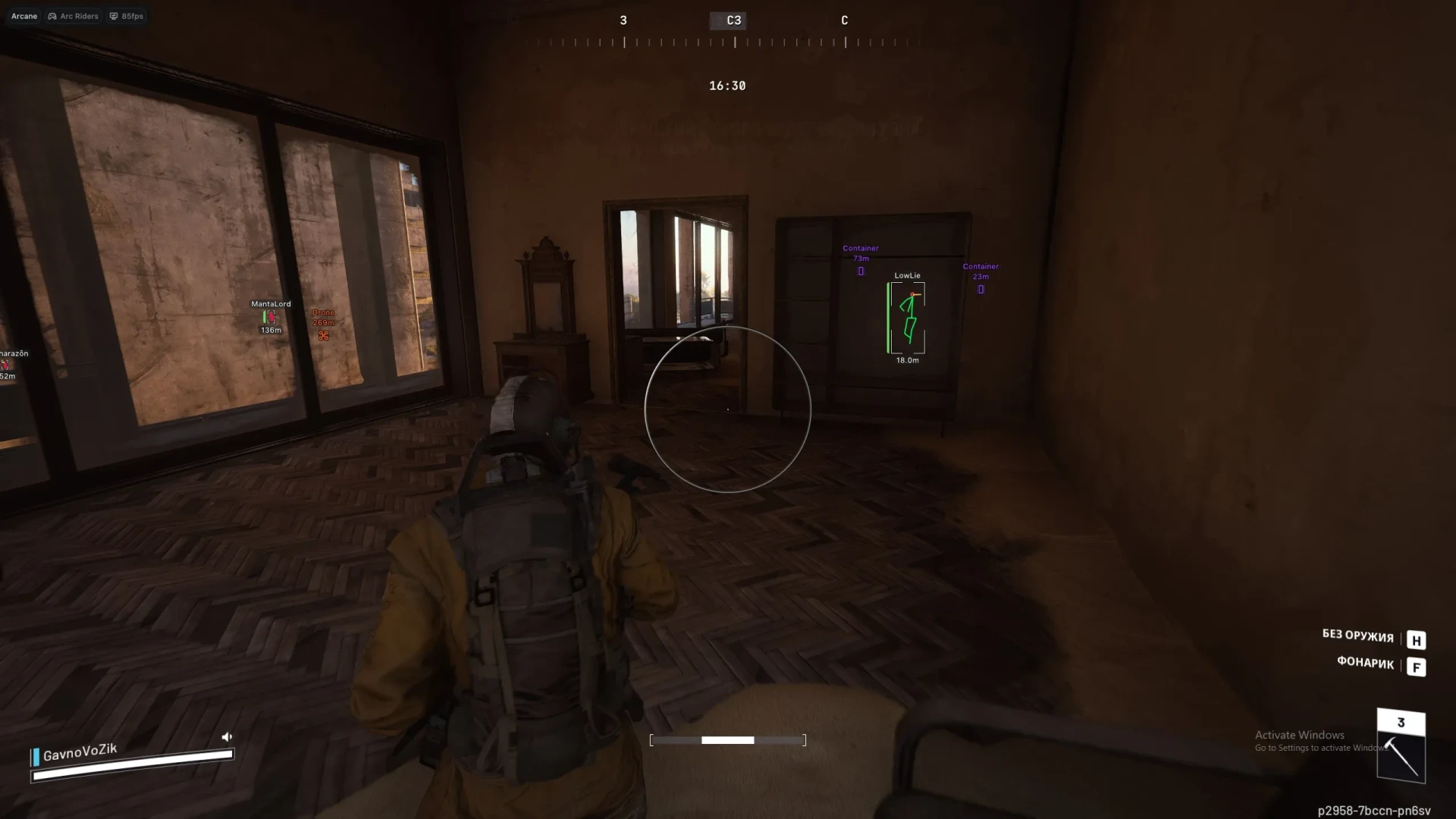
- Skeleton – Draws the enemy's bone structure.
- Head Circle – Draws a circle on the head.
- Fill Head Circle – Fills the head circle with color.
- Thickness – Adjusts the width of the skeleton lines.
- Line to Enemy – Draws "Snaplines" from your position to the enemy.
- Health Bar – Displays health status (Static, Health-based, or Gradient).
- View Line – Shows a line indicating where the enemy is looking.
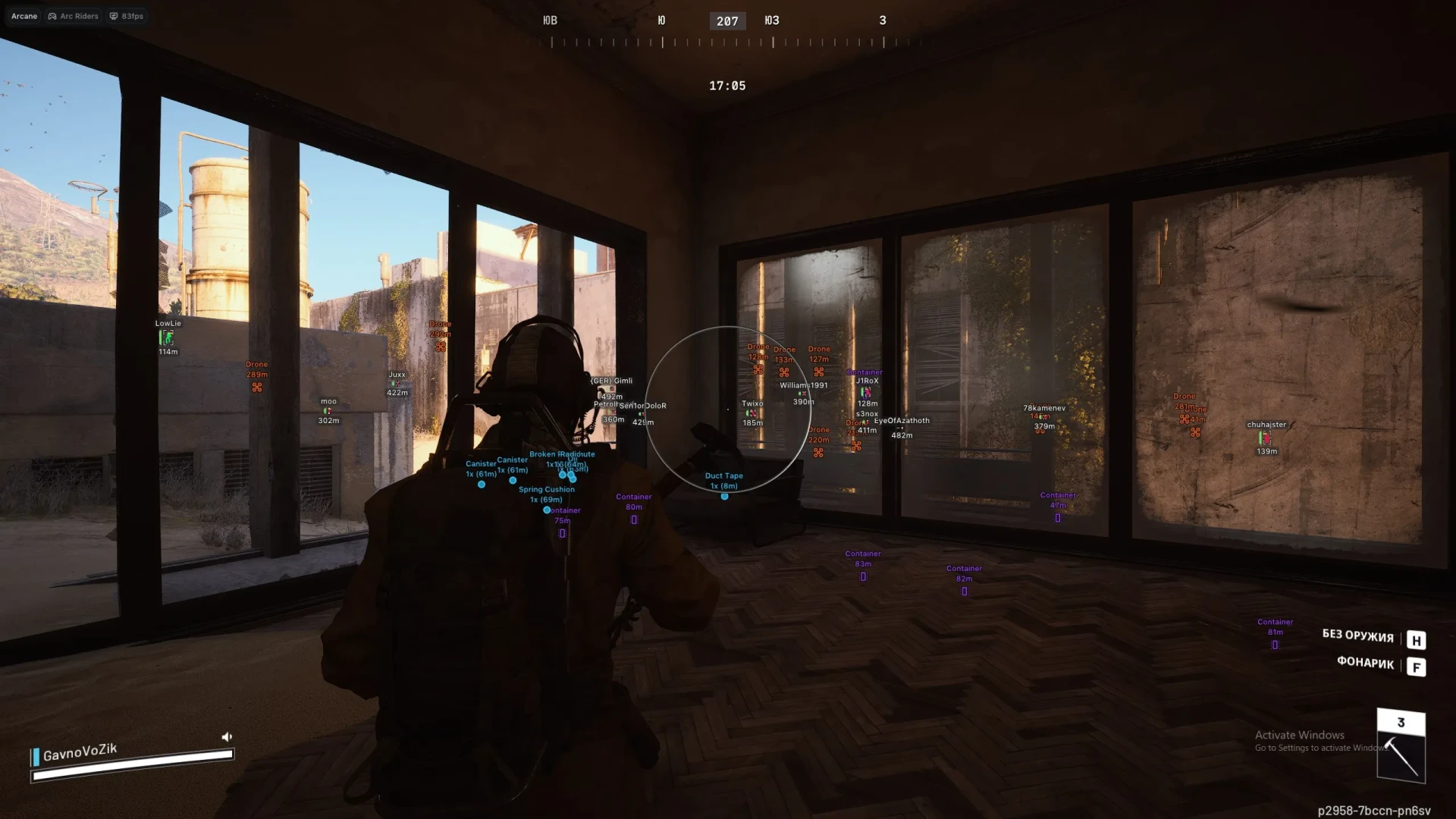
- Name – Displays the player's username.
- Distance – Shows how far away the enemy is.
- Draw Bots/Teammates – Toggle ESP for AI or your own team.
- Visibility Check – Changes ESP color based on whether the enemy is visible.
- Bot Transparency – Adjust how visible bot ESP is to reduce clutter.
- Max Distance – Sets the limit for how far away player ESP is drawn.
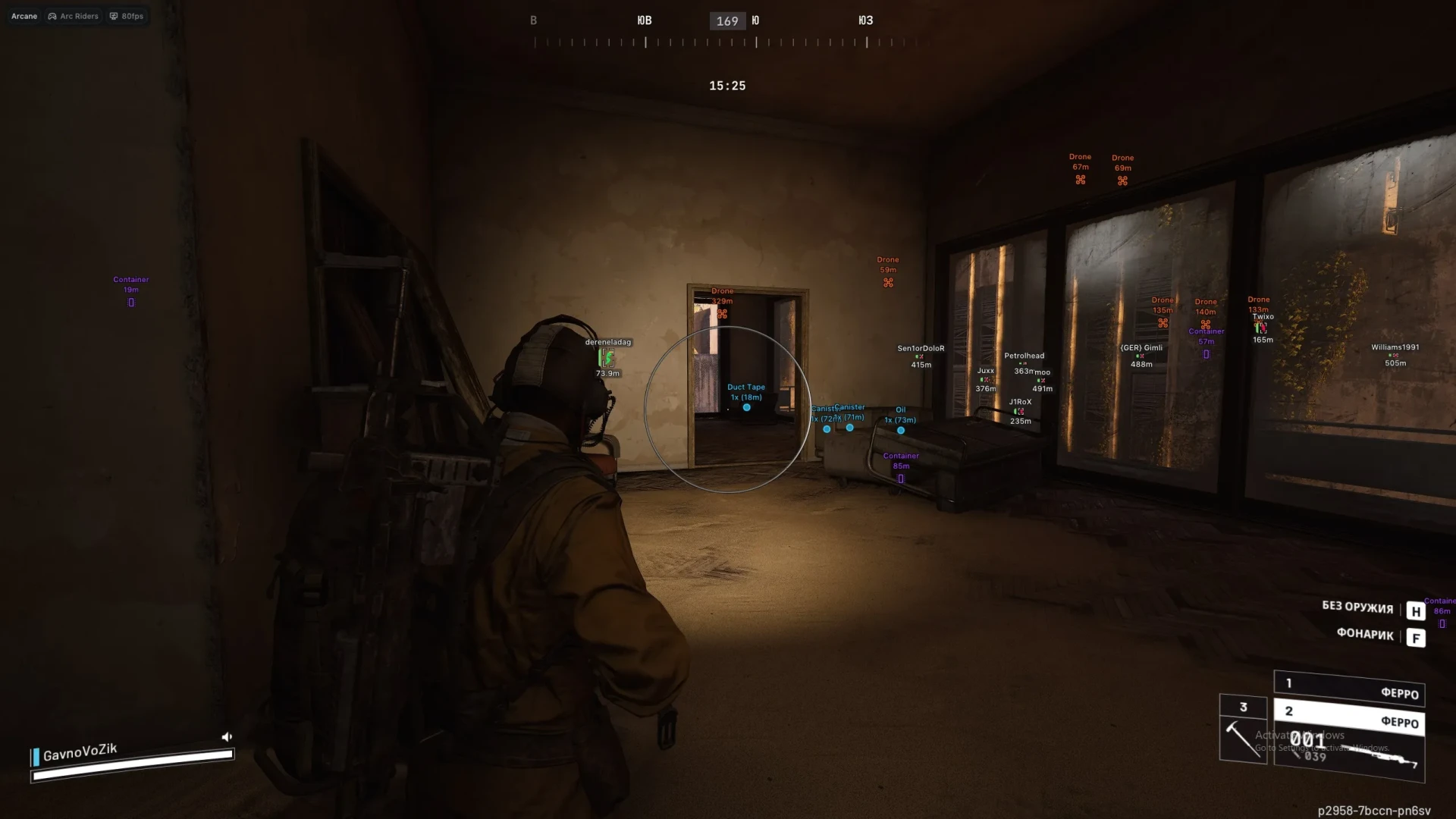
Item ESP
- Show Count – Displays the number of items in a stack/area.
- Show Distance – Shows how far away the item is.
- Drone – Highlights player drones or utility.
- Container – Highlights crates, bins, or boxes.
- Dropped Item – Highlights loot and weapons on the ground.
Radar
- Enable – Toggle the 2D radar on-screen.
- Show Distance – Displays distance to targets on the radar.
- Zoom – Adjust the scale of the radar map.
- Size (X/Y) – Adjust the height and width of the radar window.
- Distance Transparency – Change the opacity of the distance text.
- Colors – Customize the Outline and Background colors of the radar.
- Entities – Choose to show Players, AI/Bots, or Team members on the radar.
Settings
- Menu Keybind – Change the key used to open the software menu.
- Unload Keybind – Set a "Panic Key" to completely exit the software.
- DPI Scale – Resizes the menu UI for different monitor resolutions.
- FPS Limit – Caps the menu frame rate to reduce system load.
- Theme – Switch between Dark and Light visual modes.
- Watermark – Toggle the on-screen software logo.
- Language – Supports English (EN), Russian (RU), and Chinese (CN).